When I first started looking for a webinar platform, I wasn’t short on options. Zoom, GoToWebinar, WebinarJam — I had tried a few of them before. But a friend in my professional network kept telling me about ClickMeeting. She said it was “easy to use, feature-rich, and didn’t make you jump through hoops just to get people into a webinar.”
Naturally, I was curious. I started reading a bunch of ClickMeeting reviews to see what others were saying. What caught my attention was how many different types of people were using it — from educators to big corporations to solo coaches. That kind of versatility made me want to dig deeper.
Fast-forward a few months, and I’ve now used ClickMeeting for multiple events — from live product demos to a mini online conference. In this review, I’ll share everything I’ve learned, what I liked, what could be better, and who I think it’s best suited for.
First Impressions – Easy, No-Nonsense Setup
The very first thing I noticed about ClickMeeting was how simple it is to get started. No complicated downloads, no special software — it’s all browser-based. That’s already a win in my book.
The interface is clean and uncluttered. When I set up my first webinar, the platform guided me through each step:
- Choose a webinar type (live or automated).
- Set the date and time.
- Customize the registration page.
- Send invitations to attendees.
I had my first event ready in less than 20 minutes. And judging by what I’ve seen in other ClickMeeting reviews, a lot of people appreciate this straightforward approach, especially if they’re not very tech-savvy.
Who Can Benefit from ClickMeeting?
Based on my own experience and what I’ve gathered from other ClickMeeting reviews, this platform works for a wide range of users:
- Educators & Trainers – Perfect for online courses, workshops, and certification programs.
- Marketers & Sales Teams – Great for product launches, lead-generation webinars, and client demos.
- Corporate Teams – Works well for company meetings, strategy sessions, and virtual conferences.
- Coaches & Consultants – Ideal for running both free and paid coaching sessions.
In short, ClickMeeting is for anyone who wants to host professional, interactive online events without dealing with unnecessary complexity.
Features That Made a Difference
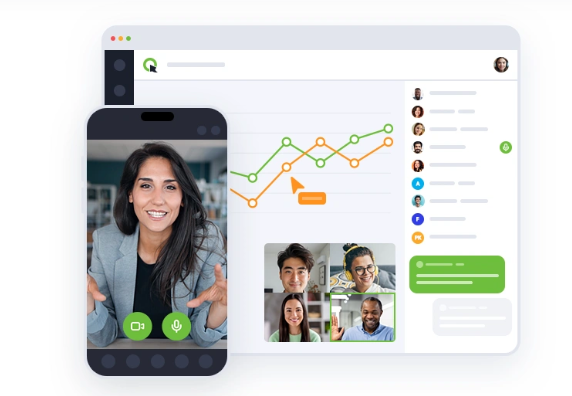
After hosting several events, these are the features I found most valuable — and that many ClickMeeting reviews also highlight.
1. Live Webinars That Look and Feel Professional
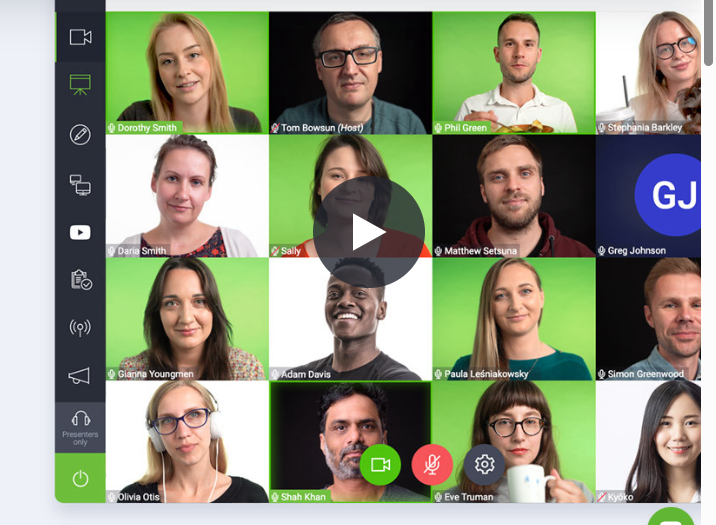
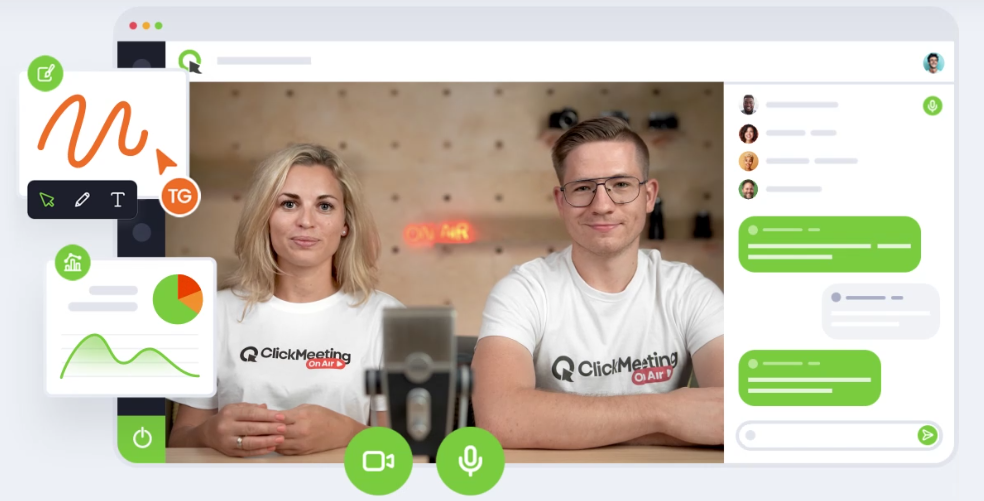
I ran a live marketing workshop for about 80 attendees. The video and audio quality were crisp, and the layout made it easy to manage chat, Q&A, and polls without feeling overwhelmed. Everything was in one place, which made it easy to stay focused on delivering value.
2. Automated Webinars for Evergreen Content
This was a game-changer for me. I recorded a product demo once, set it up to play every Friday at 3 PM, and now it runs on autopilot. Attendees still get the same experience, and I don’t have to be there every time.
3. Paid Webinars with Stripe Integration
I tested this for a paid training series. Attendees paid during registration, and the system automatically sent them the joining link. It felt professional for them and effortless for me.
4. Engagement Tools That Keep People Involved
Here’s where ClickMeeting really stands out:
- Polls & Surveys – Gather instant feedback.
- Q&A Sessions – Keep discussions organized.
- Whiteboard – Explain concepts visually.
- Breakout Rooms – Split participants into smaller groups.
- CTA Popups – Drive attendees to a website or offer mid-webinar.
5. Multistreaming for Greater Reach
During one event, I streamed to both ClickMeeting and YouTube at the same time. This expanded my reach and brought in new viewers who wouldn’t have otherwise signed up.
The Technical Side – In Simple Terms
You don’t need to be a tech expert to appreciate what ClickMeeting offers under the hood. Here’s the breakdown:
| Feature | Why It Matters |
|---|---|
| Browser-Based | Attendees don’t need to download anything. |
| Up to 1,000 Attendees | Great for medium and large events. |
| Automated Scheduling | Save time with pre-recorded sessions. |
| HD Video & Audio | Look and sound professional. |
| Payment Integration | Monetize your webinars easily. |
| Breakout Rooms | Ideal for workshops and group discussions. |
| Multistreaming | Reach audiences on multiple platforms. |
| Analytics Dashboard | Track attendance and engagement. |
Pros and Cons from My Experience
What I Liked Most ✅
- Extremely easy setup.
- No software installation needed.
- Excellent audience engagement features.
- Monetization is built-in.
- GDPR-compliant and secure.
- Scales easily from small to large events.
What Could Be Better ❌
- Screen sharing can lag with very large audiences.
- Branding customization is more advanced in higher-tier plans.
- Pricing can increase as your attendee list grows.
Three Ways I Used ClickMeeting in My Business
1. A Free Marketing Masterclass
I hosted a free 60-minute class to attract new clients. Using polls, I learned about their biggest challenges, and with a mid-webinar CTA popup, I directed them to book a consultation.
2. Paid Training Sessions
I ran a three-part paid training program for small business owners. Payments were collected through Stripe, and ClickMeeting automatically sent reminders and access links.
3. Automated Product Demos
I set up an evergreen demo to run weekly. It freed up my time while still giving potential customers a live-like experience.
Pricing – Fair for What You Get
ClickMeeting offers several plans based on your needs:
- Free Trial – Test everything without paying.
- Live Plan – Ideal for small businesses and educators.
- Automated Plan – Perfect for marketers and trainers using pre-recorded webinars.
- Enterprise Plan – Custom solutions for very large organizations.
From what I’ve seen in other ClickMeeting reviews, most users find the pricing fair — especially if you use the monetization features.
FAQ – ClickMeeting Reviews Answer Common Questions
Q: Is ClickMeeting beginner-friendly?
Yes. Even if you’ve never hosted a webinar before, you can set one up quickly.
Q: Can I make money with it?
Yes, through Stripe integration you can sell access to your webinars.
Q: How many people can attend?
Up to 1,000 on standard plans, and more on enterprise plans.
Q: Does it work on mobile?
Yes. It works in mobile browsers and has dedicated apps.
Q: Is my data secure?
Yes, it’s GDPR-compliant and hosted on EU-based servers.
Final Verdict – My Honest Opinion After Months of Use
After running multiple events and reading countless ClickMeeting reviews, I can confidently say this is one of the best webinar platforms I’ve used. It strikes the right balance between ease of use and powerful features.
While it’s not without minor flaws — like occasional screen share lag — the pros outweigh the cons by a wide margin. The fact that I can run both live and automated events, keep audiences engaged, and even monetize my sessions makes it a keeper.
If you’re looking for a professional, secure, and flexible webinar platform in 2025, ClickMeeting should be on your shortlist.