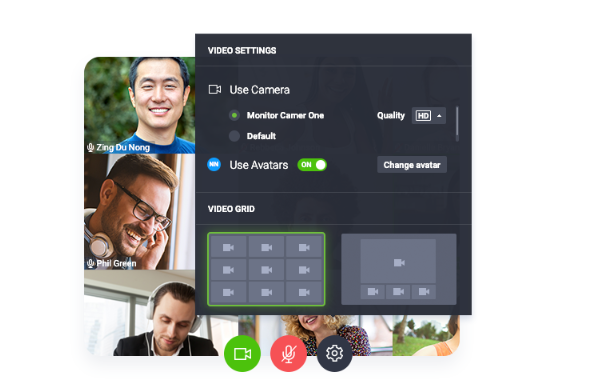
As someone who has hosted dozens of online sessions across multiple platforms, I can say with confidence: ClickMeeting has some underrated tools. But like with any software, it’s all about how you use it.
Here are some practical insights from actual users — the little things that make a big difference when learning how to use ClickMeeting:
💡 Use the Waiting Room Strategically
One great feature of ClickMeeting is the customizable waiting room. Before attendees enter the event, they can see a welcome message, watch a video, or read instructions.
Pro Tip: Use this space to:
- Share house rules (e.g., “Please mute your mic”)
- Show a teaser video
- Display your company’s core message or upcoming offers
It’s a subtle but powerful way to engage people even before the webinar begins.
💡 Automate Your Follow-Ups
ClickMeeting lets you schedule automated thank-you emails after your event ends. If you’re hosting webinars to generate leads or teach clients, this is gold.
In your follow-up:
- Add a recording link for those who missed the session
- Include a survey for feedback
- Share a discount or offer to encourage action
Setting this up only takes 2–3 minutes, but the impact is long-lasting.
💡 Record Everything — Even Internal Meetings
Even if you’re just using ClickMeeting for your team meetings, record them! You can:
- Send recordings to team members who missed it
- Review decisions made in meetings
- Repurpose parts for training videos or SOPs
You’ll be surprised how often you’ll reference these recordings later.
🔄 What Makes ClickMeeting Stand Out in 2025?
Now, you might wonder — with so many video conferencing tools out there, why should you learn how to use ClickMeeting?
Here’s what sets it apart this year:
1. It’s More Than Just a Zoom Alternative
Yes, ClickMeeting lets you host video calls. But it’s so much more:
- Run evergreen sales funnels with automated webinars
- Deliver polished presentations with branded visuals
- Host interactive courses with quizzes, handouts, and Q&A
It blends marketing + education + meetings in one tool.
2. User Experience Is Clean and Focused
Unlike some platforms that overload you with menus, ClickMeeting feels clean, focused, and intuitive.
Even if you’ve never hosted an event before, you can figure out:
- Where to share your screen
- How to invite speakers
- When to launch a poll
You don’t need a tech background to use it well.
3. It’s Built for Growth
If you’re a coach, course creator, or small business owner, ClickMeeting doesn’t just help you run sessions — it helps you grow:
- Capture leads with branded sign-up pages
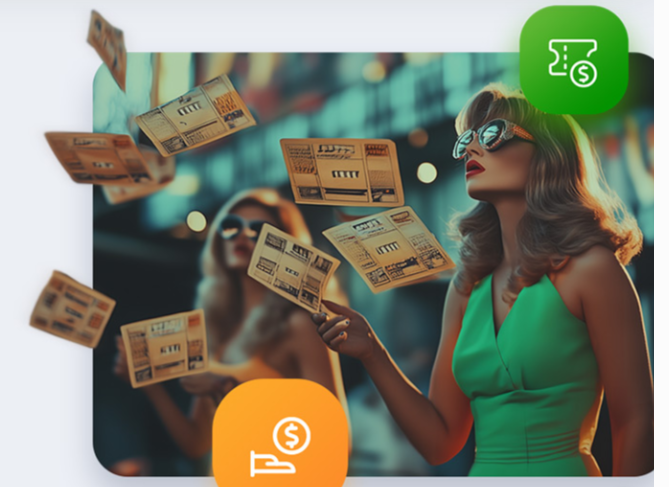
- Host paid webinars with built-in payment options
- Analyze engagement to fine-tune your approach
So learning how to use ClickMeeting is an investment in your brand’s future.
📌 Use Case: A Course Creator’s Experience
Let’s meet Sarah, a fitness coach from Canada. During the pandemic, she started running online training sessions and mini-courses. At first, she used Zoom — but it felt generic.
When she switched to ClickMeeting, she:
- Created a branded course room with her logo and welcome video
- Ran live workouts with polls and Q&A
- Recorded everything and sold access to replays
- Sent follow-up emails with feedback forms and meal plans
In her words:
“ClickMeeting let me turn one webinar into a whole product. It saved me time, made me look more professional, and helped me connect with my community.”
That’s the power of understanding how to use ClickMeeting the right way.
🔧 Technical Details That Actually Matter
Let’s not forget the tech specs — here’s what powers ClickMeeting behind the scenes:
⚙️ Platform Compatibility
- Browser-based (Chrome, Firefox, Safari, Edge)
- iOS & Android mobile apps
- No plugins or downloads for attendees
📹 Video & Audio
- HD video streaming up to 1080p
- Noise reduction for clear audio
- Support for multiple presenters
🔒 Security
- GDPR compliant
- Password-protected events
- SSL encryption
🛠️ Storage & Files
- Cloud recording storage
- Upload handouts (PDFs, Docs, Slides)
- Share files with attendees in real-time
🌎 Using ClickMeeting in Different Industries
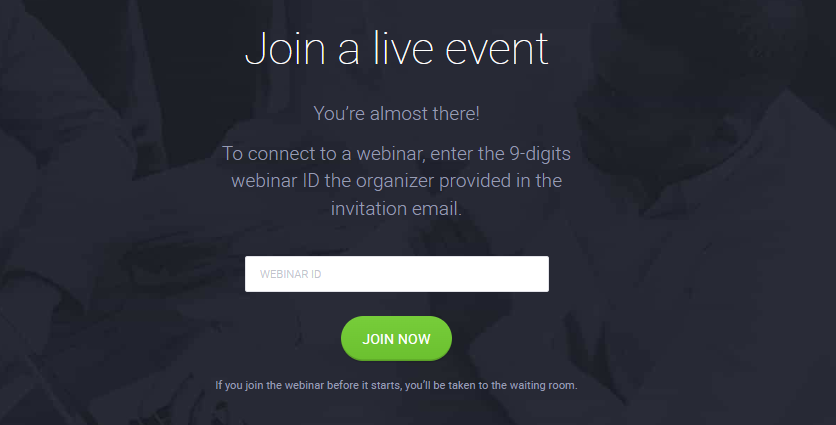
You don’t have to be a tech pro to benefit from ClickMeeting. Here are examples of how people in different fields are using it every day:
🎓 Education
- Schools run parent-teacher meetings
- Tutors teach international students
- Colleges use it for online lectures
💼 Business
- Startups pitch to investors
- HR teams onboard new employees
- Sales teams run client demos
🎤 Creators & Influencers
- Coaches host mini-masterclasses
- Podcasters do live Q&As
- Influencers sell access to private webinars
So no matter your field, learning how to use ClickMeeting helps you show up professionally online.
📚 Wrap-Up: What You’ve Learned So Far
By now, you should feel confident about how to use ClickMeeting in a real-world, human-centered way. You’ve seen:
- How to set up your first webinar
- What makes ClickMeeting different in 2025
- The best features and hidden tools
- Real user stories and success examples
Whether you’re just exploring or ready to go all in, ClickMeeting is worth trying out — especially if you want to deliver high-quality online experiences without feeling overwhelmed.
✅ Final Thoughts
Learning how to use ClickMeeting isn’t just about understanding software — it’s about learning how to communicate, teach, and sell online in a way that feels authentic and professional.
If you’re serious about building an online presence, educating your audience, or engaging your clients, this tool gives you everything you need — in one place.
🌟 Ready to get started? Sign up for the free trial and try your first webinar today.