Let me start with a confession:
I hate dealing with documents.
There. I said it.
Whether it’s contracts, proposals, onboarding forms, or client files—I’ve always found document management exhausting. Half the time, I’m hunting for the “final_v3_signed_REALfinal.pdf” version in a sea of email threads. The other half? I’m waiting on someone to sign something they forgot about two days ago.
That was until I gave BreezeDoc a shot.
What started as a casual test during a free trial turned into a full-on shift in how I manage my business’s daily operations. This isn’t a generic software review. This is my honest experience using BreezeDoc for real work, with real people, and real results.
Let’s dive in.
What Exactly is BreezeDoc?
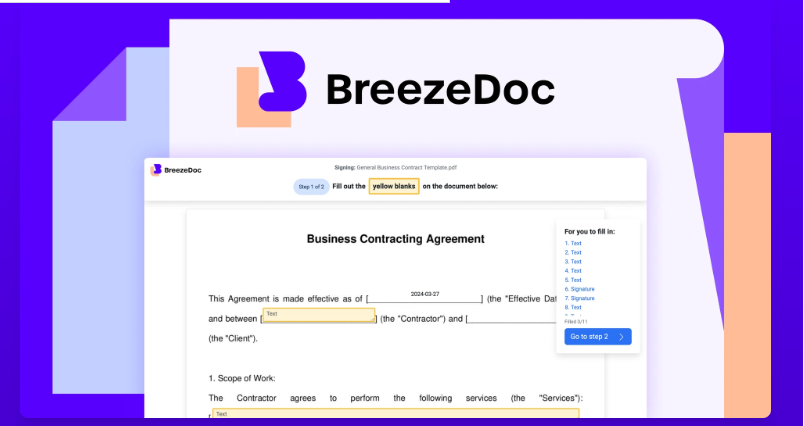
BreezeDoc is a cloud-based document management and automation tool. If that sounds dry, hang on—because what it really does is save you time, sanity, and quite possibly, your job.
Think of it like Google Docs meets Notion meets DocuSign—only it’s purpose-built for handling real-world document workflows. I’m talking:
- Creating repeatable templates
- Automating approval steps
- Getting signatures in minutes
- And never asking, “Who’s got the latest version?” ever again
My First Impression: Simple, Fast, No BS
I’ll be honest—when I first logged in, I expected a cluttered interface. Instead, I was greeted with a clean dashboard that felt more like a productivity tool than enterprise software.
Within 30 minutes, I had created a client agreement template, uploaded a few docs, and invited my team. It felt less like setting up new software and more like finally organizing a junk drawer that’s been bothering me for months.
What I Loved Most (Features That Actually Helped)
🧩 1. Templates That Don’t Make Me Want to Scream
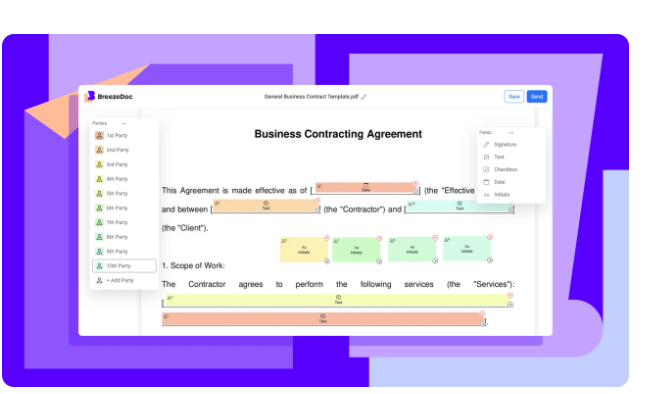
I’ve tried tools that let you “create templates,” but BreezeDoc actually nailed this. I made a sales proposal template once and now just duplicate and tweak it each time. No more hunting for past docs and copying/pasting like a maniac.
🔐 2. Peace of Mind with Security
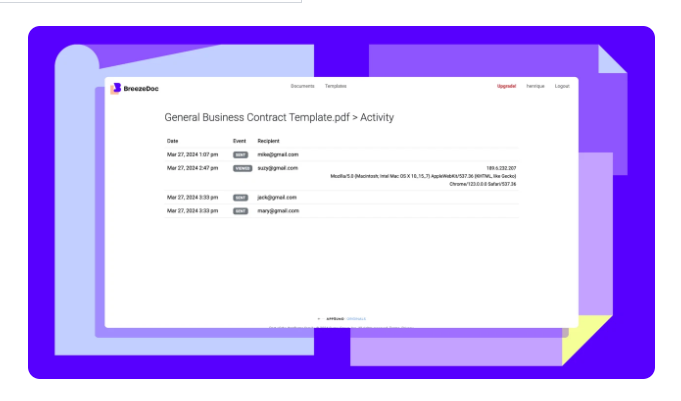
I deal with sensitive contracts all the time, so security was a non-negotiable. BreezeDoc has built-in encryption, role-based access, and even logs who opened what and when.
No more sending important stuff over email and hoping for the best.
⛓️ 3. Smooth, Built-In E-Signatures
I used to use a separate e-signature tool—and juggling between apps was a pain. With BreezeDoc, I just click “Send for Signature,” and the other person gets it instantly. It even sends polite nudges if they forget to sign (so I don’t have to).
🧠 4. Workflow Automation That Actually Works
This one blew me away.
You can create custom flows like:
- “When HR uploads a contract, send to Legal → then send to the new hire → then archive.”
And it just… happens. No babysitting. No bottlenecks.
💬 5. Team Collaboration Without the Clutter
We use comments, mentions, and real-time edits constantly. It’s like a shared Google Doc—but professional, with version control and audit trails. Everyone stays on the same page (literally).
Who Should Use BreezeDoc?
Here’s where I’ll break it down by real scenarios. This isn’t theory—these are people I’ve actually seen benefit from it.
💼 Small Business Owners
If you’re juggling operations, HR, and client management all by yourself, BreezeDoc can be your second brain. It organizes the chaos and gives you structure without needing a full-time admin.
🧑⚖️ Legal Teams
The version tracking alone makes it worth it. Add e-signatures and secure access, and you’ve got a tool that’s far better than emailing redlined PDFs back and forth.
🧑💼 HR Departments
Onboarding, policy updates, internal contracts—it’s all easier when you can automate the whole document process. Plus, tracking who signed what makes compliance simple.
🚀 Freelancers / Consultants
For solo operators, BreezeDoc feels like overkill at first. But once you use it to send three contracts and get them back signed in under 15 minutes? You’ll never go back.
Real-Life Example: Closing a Deal 4x Faster
Here’s a quick story.
A few weeks ago, I sent a proposal to a potential client using BreezeDoc. The usual routine would be:
- Email the doc
- Wait for feedback
- Edit and resend
- Wait for the signature
- Get ghosted for a day or two
- Finally get the signed version
This time?
I sent it through BreezeDoc with an embedded approval workflow and signature field.
The client reviewed it, signed it, and we were off to the races within 3 hours.
That used to take 3 days.
Multiply that by multiple deals per month, and the time savings is huge.
Pros & Cons (No Sugarcoating)
✅ What I Loved
- Ridiculously easy to set up and use
- Real workflow automation, not just glorified file sharing
- Templates + e-signatures = time saved every day
- Solid team features (comments, versions, tasks)
- Secure & compliant out of the box
- Support team actually answers (shoutout to Julia from chat support!)
❌ What Could Be Better
- Offline access is non-existent—you’re out of luck without internet
- Some integrations (like with CRMs) are still in beta
- Template design has a small learning curve if you go deep
- No desktop app—only web/mobile
FAQ – Real Questions People Ask
🧾 Can I use BreezeDoc for free?
Yes, there’s a 14-day free trial with full features. You’ll probably get hooked before it ends.
💸 What’s the pricing like?
Starts at $12/user/month. There’s a mid-tier for small teams and an enterprise version with all the bells and whistles.
📱 Is there a mobile app?
Yes, and it’s surprisingly good. You can check status, sign docs, and leave comments—all from your phone.
🔗 Does it integrate with tools like Slack or Zapier?
It does! Slack, Zapier, Google Drive, and more. More integrations are rolling out every month.
Final Verdict: Is BreezeDoc Worth It?
If you’re reading this and thinking,
“I’m tired of disorganized files, unsigned contracts, and endless email threads,”
then yes—BreezeDoc is absolutely worth your time.
It won’t just make your document management easier. It’ll make you look more professional, help you move faster, and remove the stress of chasing people or losing files.
It’s not the flashiest software out there—but it works. And in my book, that’s what really matters.